The Digital Note-Taking Device That Boosted My Meeting Productivity
Are you struggling to keep track of important meeting notes? Finding yourself distracted by notifications during crucial discussions? The reMarkable 2 E-Paper Tablet solved these exact problems for me, revolutionizing how I capture and organize information in professional settings.
I have been using the reMarkable 2 daily for six months across client meetings, internal reviews, and project planning sessions. The difference it has made to my focus and post-meeting organization is genuinely significant. If you take handwritten notes for work and have never tried a dedicated paper tablet, this review will help you understand exactly what you are getting.
Below I cover everything from first impressions and setup through to daily workflow, standout features, and how it compares to the competition.

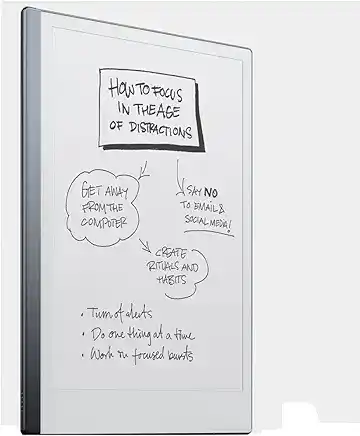
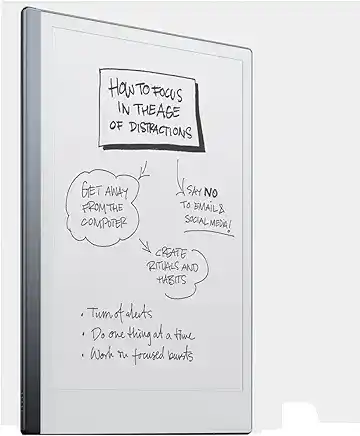
The reMarkable 2 is an ultra-thin e-paper tablet designed exclusively for distraction-free writing, note-taking, and document annotation. With a paper-like Canvas display, 21ms writing latency, and up to three weeks of battery life, it is the benchmark device for professionals who prefer handwriting but need digital organisation.
As an Amazon Associate we may earn a small commission if you purchase via our link, at no extra cost to you.
Key Takeaways from My reMarkable 2 Experience:
- Ultra-thin 4.7mm design with paper-like writing experience
- Distraction-free digital note-taking with excellent organisation features
- Handwriting-to-text conversion for easy sharing
- 2-3 week battery life for professionals on the go
- Perfect for meeting notes, document annotation, and reading
reMarkable 2 First Impressions: Design and Setup
When unboxing the reMarkable 2, I was immediately struck by its premium build quality. At just 4.7mm thick, this e-paper tablet is thinner than most smartphones while maintaining a substantial, high-quality feel. The minimalist Scandinavian design makes a professional statement in any meeting environment.
Setting up the reMarkable 2 took less than 10 minutes. The connection process to both my smartphone and laptop was intuitive, and I was writing on the Canvas display within moments. The e-ink technology creates a matte, paper-like surface that eliminates the eye strain I experienced with traditional tablets. If you are also considering a conventional laptop for work alongside a dedicated writing device, our Best Laptops 2026 guide covers the top options currently available in the UK.
reMarkable 2 vs. Traditional Note-Taking Methods: The Digital Advantage
The reMarkable 2 offers several significant advantages over both paper notebooks and conventional tablets:
| Feature | reMarkable 2 | Paper Notebooks | Standard Tablets |
|---|---|---|---|
| Writing Experience | Paper-like texture | Natural | Slippery glass |
| Organisation | Searchable, folders, tags | Limited by physical pages | Digital but with distractions |
| Distraction Level | None (no apps or notifications) | None | High (constant notifications) |
| Battery Life | 2-3 weeks | N/A | Hours to days |
| Environmental Impact | Reduces paper waste | High paper consumption | Electronic waste concerns |
| Weight | 403.5 grams | Varies | Typically heavier |
How the reMarkable 2 Improved My Meeting Workflow
Before Meetings: Preparation and Document Review
The reMarkable 2’s PDF annotation capabilities allow me to review agendas and supporting documents before meetings, making notes directly on materials without printing anything. This streamlined preparation has made me noticeably more effective in discussions. Pairing it with a cloud-based document workflow makes this even smoother; if you are still deciding on your business productivity suite, our Microsoft 365 vs Google Workspace comparison is a useful starting point.
During Meetings: Focused Note-Taking
The distraction-free environment of the reMarkable 2 has transformed my meeting presence. Without email and message notifications competing for my attention, I remain fully engaged while capturing comprehensive notes. The variety of templates (lined, grid, dot grid, etc.) helps me structure different types of meeting information appropriately.
After Meetings: Organisation and Sharing
Post-meeting, the reMarkable 2 shines with its organisational capabilities:
- Converting handwritten notes to typed text with impressive accuracy
- Sharing meeting summaries via email directly from the device
- Organising notes by project, client, or topic in a searchable format
- Syncing automatically to the cloud for backup and cross-device access
reMarkable 2 Features That Enhance Meeting Productivity
1. Layer System for Complex Note-Taking
The layers feature allows me to separate different types of meeting information (action items, questions, decisions) onto different layers, making follow-up significantly more organised.
2. Quick Sheets for Impromptu Discussions
When unexpected conversations arise, the Quick Sheets feature enables me to start taking notes instantly without disrupting my organisational system.
3. Templates for Structured Information
The diverse template library includes options specifically designed for meeting notes, action items, and project planning, bringing structure to even the most complex discussions.
4. Text Conversion for Searchability
The OCR (Optical Character Recognition) technology converts my handwriting to searchable text, making it easy to find specific discussion points from previous meetings.
Is the reMarkable 2 Worth the Investment for Business Professionals?
At its price point the reMarkable 2 represents a significant investment compared to traditional notebooks. However, for professionals who:
- Attend multiple meetings weekly
- Need to reference past discussions regularly
- Value organisation and searchability
- Prefer handwriting for information retention
- Want to reduce paper waste
The return on investment becomes clear within weeks. I estimate I have saved 3-4 hours weekly previously spent searching for information or transcribing notes, which quickly justifies the cost. For professionals who want to further improve how they manage and store business documents, it is also worth reading our guide on best cloud storage for business in the UK to ensure your synced notes are securely backed up.
reMarkable 2 vs. Competitors: How It Compares
While several e-paper tablets compete in this space (including the Onyx Boox Note Air, Supernote, and Kobo Elipsa), the reMarkable 2 distinguishes itself through its focused approach. Rather than trying to be an all-purpose device, it excels specifically at note-taking with a writing experience that most closely mimics paper.
The reMarkable 2’s writing latency (the delay between pen movement and displayed ink) is among the lowest in the industry at 21ms, creating the most natural writing experience available in digital form.
Final Verdict: Why the reMarkable 2 Earns 4.8/5 Stars for Meeting Organisation
After six months of daily use, the reMarkable 2 has fundamentally changed how I approach meetings and information organisation. The combination of paper-like writing experience, powerful organisation tools, and distraction-free environment creates a uniquely effective tool for professionals.
While the ecosystem could benefit from a few additional features (like direct calendar integration), the core experience delivers exactly what it promises: a digital paper tablet that enhances focus, organisation, and productivity.
For anyone who values handwritten notes but needs digital organisation capabilities, the reMarkable 2 is not just a good option — it is the benchmark against which all other e-paper tablets should be measured.
Have you tried the reMarkable 2 or another e-paper tablet for meeting notes? Share your experience in the comments below. If you have questions about specific features or use cases, I am happy to share more details from my daily use.
Related Guides
- Best Paper Tablets in 2025: reMarkable, Kindle Scribe, Boox and More
- Best Laptops 2026: The Official Early Buyer’s Guide
- Microsoft 365 vs Google Workspace: Which Is Right for Your Business?
- Best Cloud Storage for Business UK 2026
- What to Buy for Christmas 2025: A Simple Tech Gift Guide
As an Amazon Associate we may earn a small commission if you purchase via our link, at no extra cost to you.
Frequently Asked Questions
Is the reMarkable 2 worth buying in 2026?
Yes, the reMarkable 2 remains one of the best e-paper tablets available. Its 21ms writing latency, distraction-free design, and excellent handwriting-to-text conversion make it a strong choice for professionals and students who prefer handwriting but need digital organisation. The device receives regular firmware updates that continue to improve the experience.
Does the reMarkable 2 require a subscription?
The reMarkable 2 can be used without a subscription for basic note-taking and document storage on the device itself. A Connect subscription is required for cloud syncing, cross-device access, and handwriting-to-text conversion beyond the free trial period. The subscription is billed annually and is optional but recommended for most professional users.
How does the reMarkable 2 compare to the Kindle Scribe?
The reMarkable 2 focuses entirely on writing and note-taking with a lower latency and more paper-like feel, whereas the Kindle Scribe also functions as a full Kindle e-reader. If reading books is a priority alongside note-taking, the Kindle Scribe is worth considering. If writing quality and focus are your primary concerns, the reMarkable 2 is the stronger option. Our best paper tablets guide covers both in more detail.
Can you use the reMarkable 2 without Wi-Fi?
Yes. All writing, note-taking, and document annotation on the reMarkable 2 works fully offline. Wi-Fi is only needed to sync files to the cloud, send notes by email, or update the firmware. This makes it reliable in meetings or environments where internet access is limited or restricted.
What stylus does the reMarkable 2 use?
The reMarkable 2 uses its own Marker or Marker Plus stylus, which does not require charging or pairing. The Marker Plus includes an eraser on the top end. Third-party styluses are not officially supported. The nibs on the Marker do wear down over time with heavy use, but replacement nibs are available directly from reMarkable at a reasonable cost.