Introduction
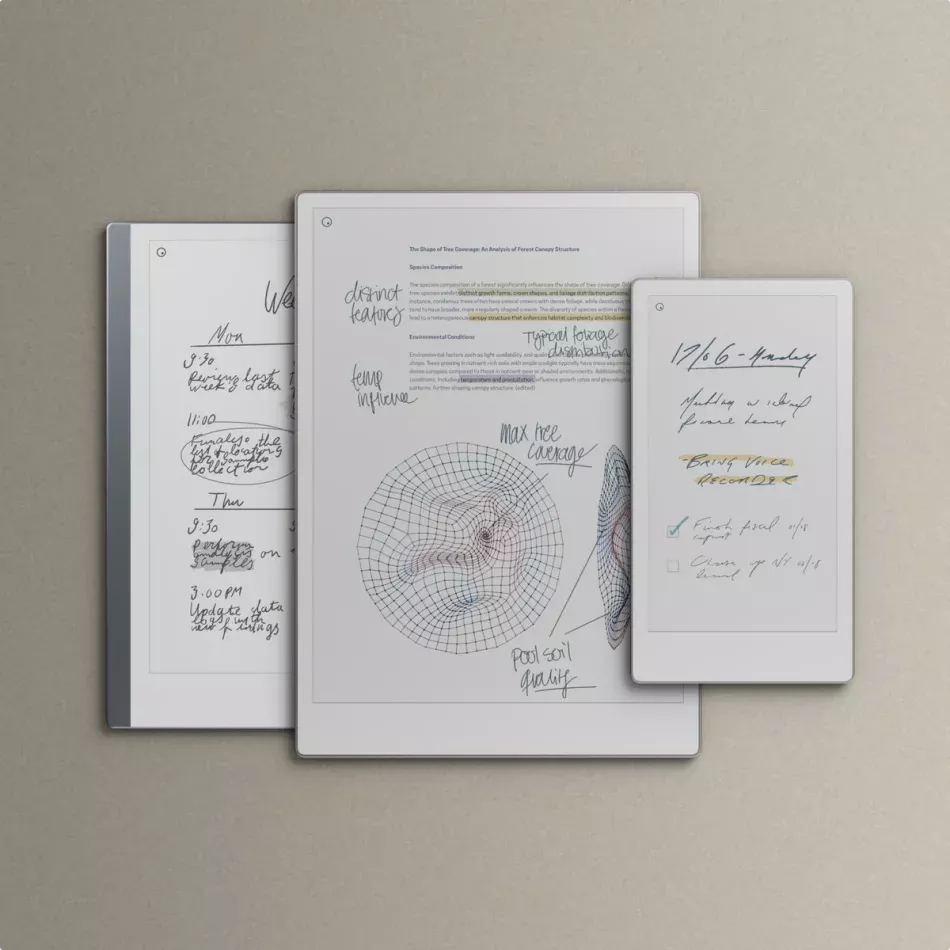
The reMarkable Move is the newest addition to the reMarkable lineup, launched in 2025 as a smaller, more portable sibling to the Paper Pro. Built for people who want the paper-like writing experience reMarkable is famous for—now in a 7.3-inch color E Ink display—the Move is designed for productivity on the go.

ReMarkable Move
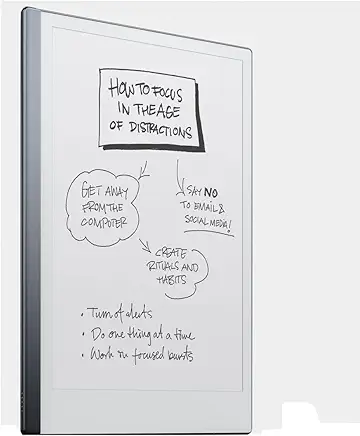
reMarkable Paper Pro Move – Weave Folio Bundle | Ultraportable Colour 7.3″ Paper Tablet with Marker Plus Pen with Eraser, and a Book Folio Cover in Mosaic Weave – Basalt
Key Specs at a Glance for reMarkable Move
| Feature | Paper Pro Move |
|---|---|
| Display | 7.3″ Color E Ink (Gallery 3), front-lit |
| Processor | Dual-core 1.7 GHz ARM Cortex-A55 |
| Memory & Storage | 2 GB RAM, 64 GB internal |
| Battery Life | ~2 weeks typical use |
| Dimensions | 7.7″ × 4.24″ × ~6.5 mm |
| Weight | ~235 g |
| Stylus | Marker or Marker Plus (with eraser) |
| Software Features | Color writing, handwriting-to-text, templates, movable toolbar, handwriting search, Slack/Quick Share integration (via Connect) |
| Price | $449 (Marker) / $499 (Marker Plus) – approx. £399–£439 in the UK |
What Makes the Move Different?
Ultra-Portable Size
Roughly the size of a paperback book, the Move is light enough to carry everywhere—perfect for commuters, students, or professionals on the go.
Color E Ink Experience
With E Ink Gallery 3, the Move introduces muted color capabilities for highlighting, sketching, and more vibrant note-taking without losing its minimalist focus.
⚡ Focused Productivity
Like all reMarkable devices, the Move avoids distractions—no social apps, no notifications—just a clean canvas for writing, drawing, and thinking.
Enhanced Software Tools
The Move debuts movable toolbars, handwriting search, custom templates, and even Slack/Quick Share integration, making it more flexible for modern workflows.
Reliable Battery Life
Despite its small size, it delivers around two weeks of active use on a single charge—ideal for travel and daily note-taking.
Everyday Use Cases
- Students → Annotate PDFs, highlight in color, and keep organized notes across subjects.
- Professionals → Take quick, focused notes in meetings without distraction, then sync to the cloud.
- Creatives → Sketch, storyboard, and plan with the tactile feel of paper but the flexibility of digital.
- Travellers → Lightweight and compact—perfect for journaling, reading, and capturing ideas on the move.
Where It Fits in the reMarkable Family
- reMarkable 2 → Entry-level, grayscale, no front-light.
- Paper Pro → Full-sized 11.8″ color tablet with maximum workspace.
- Paper Pro Move → Compact, color-capable, portable version for true on-the-go note-taking.
The Move doesn’t replace the larger Paper Pro—it complements it, giving users more choice depending on their lifestyle and workflow.
Conclusion
The reMarkable Paper Pro Move brings the brand’s iconic paper-like writing experience into a compact, color-ready device that’s perfect for people who value both focus and portability. Whether you’re a student, professional, or creative, the Move offers a distraction-free way to capture your best ideas—anywhere, anytime.
ReMarkable 2 vs ReMarkable Colour (Paper Pro): Which Should You Buy in 2025?
Related Posts
- ReMarkable 2 Review (2025): Still the Best Paper Tablet?
- reMarkable 2 Review: How This Paper Tablet Transformed My Meetings
- ReMarkable 2 vs ReMarkable Colour: Which Should You Buy?
- Best ReMarkable 2 Accessories in 2025
- Best Paper Tablets in 2025: ReMarkable, Kindle Scribe, Boox & More
Comparing to Alternatives: iPad, Boox, and More
The reMarkable Move is excellent for distraction-free note-taking, but it’s not the only option in the digital writing space. Here’s how it stacks up against the main competitors:
- iPad Air / iPad Pro – More expensive (from £599), these are far more capable general-purpose tablets with full app access, email, media, and computing power. Ideal if you need flexibility beyond note-taking. E Ink alternatives like the Move avoid the glare and eye strain of bright LED screens, making them better for extended writing sessions without fatigue.
- Boox Page or Boox Tab Ultra – Direct E Ink competitors running Android. Generally cheaper than Paper Pro but larger and less minimalist than the Move. Boox devices allow full app access (Gmail, Chrome, Slack), which some users value; others find it a distraction. The Move prioritises focus and simplicity over flexibility.
- Kobo Elipsa 2E – Another E Ink note-taker with a larger 10.3″ display and a lower price point (around £330–£380). Excellent value if you don’t need colour, but lacks reMarkable’s refined writing experience and software polish. Best suited for readers who occasionally annotate PDFs or documents.
- Microsoft Surface Pro + Stylus – A full-powered laptop in tablet form. Most versatile but heavier battery drain and highest price. Overkill if you’re specifically seeking a distraction-free writing device rather than a computing platform.
The reMarkable advantage: No subscriptions required for core note-taking, superior writing latency (under 14 milliseconds), and a deliberately minimal interface that prevents digital distraction. You pay a premium for the writing experience itself, not computing power.
Choose alternatives if: you need advanced productivity features, simultaneous multi-app workflows (email and notes at once), or a significantly lower budget. Choose the Move if you value the tactile paper-like feel, exceptional battery life, and a genuinely distraction-free environment for deep focus work.
For UK buyers, factor in that reMarkable prices convert directly from USD—the Move sits at approximately £399–£439—positioning it as a middle-ground choice between budget E Ink devices and full-featured iPad pricing.