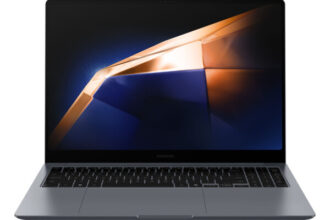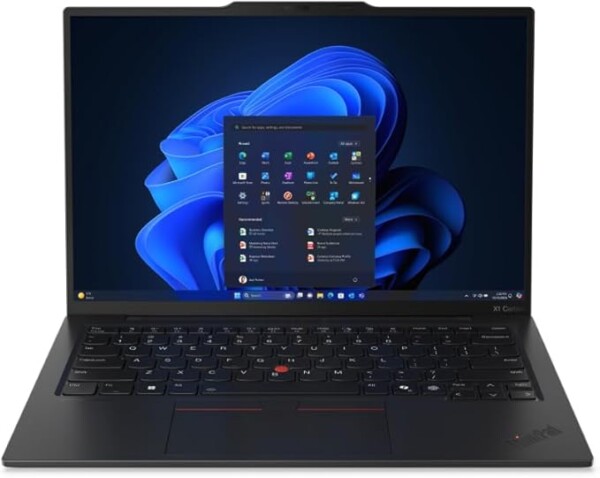
The ThinkPad X1 Carbon Gen 14 (2026) continues Lenovo’s long-running dominance in the business ultraportable category. With legendary durability, enterprise-grade security, and one of the best keyboards ever made, it remains a favourite among professionals, IT departments, and remote workers.
If you need a reliable, secure, lightweight Windows laptop for business or travel, the X1 Carbon is one of the best choices for 2026.
⭐ Quick Verdict
The best business laptop of 2026 — incredibly light, highly secure, and built for professionals who need a durable, no-compromise productivity machine.
Key Specifications (2026 Model)
| Component | Details |
|---|---|
| CPU | Intel Core Ultra 5 / Ultra 7 (2026 Refresh) |
| GPU | Integrated Intel Arc graphics |
| Display | 14″ IPS or 2.8K OLED |
| RAM | 16GB / 32GB / 64GB LPDDR5X |
| Storage | 512GB – 2TB NVMe SSD |
| Battery | 12–16 hours real-world |
| Weight | 1.18 kg |
| Security | ThinkShield, IR webcam, fingerprint reader |
| OS | Windows 11 AI Edition |
Pros
- Ultra-light and extremely durable
- Class-leading keyboard
- Strong business-grade security
- Long battery life
- Excellent colour-accurate displays
- Very reliable and repair-friendly
Cons
- Premium pricing
- Integrated graphics only
- Speakers are average
Best For
✔ Business professionals
✔ SME users
✔ Frequent travellers
✔ Remote workers
✔ Cybersecurity-focused users
✔ IT departments needing stable fleet devices
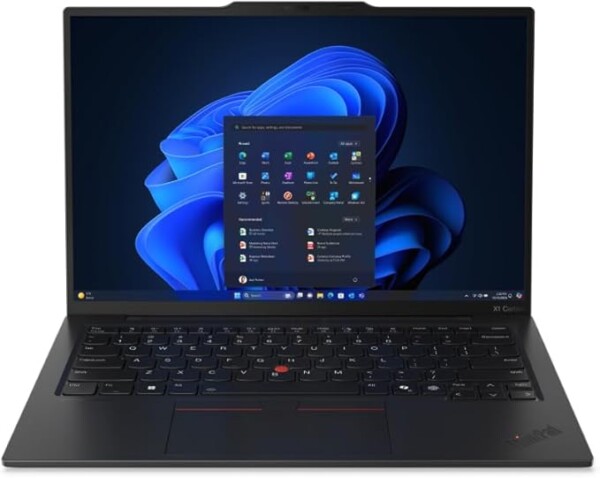
Lenovo ThinkPad X1 Carbon Gen 13
Lenovo ThinkPad X1 Carbon Gen 13 Aura Intel Core Ultra 7 255U 14″ Touchscreen 2.8K 32GB RAM 1TB SSD Windows 11 Pro Laptop – Black – 21NX0086UK
Buy Now →Related Laptop Guides
- Best Business Laptops 2026
- Best Lightweight Laptops 2026
- Best Laptops for Remote Work 2026
- Best AI-Ready Windows Laptops 2026
❓ Frequently Asked Questions
Is the ThinkPad X1 Carbon good for programming?
Yes — it’s excellent for developers needing reliability, portability, and a great keyboard.
Is the OLED display worth it?
Yes if you value colour accuracy and deep contrast, though it slightly reduces battery life.
Can the RAM be upgraded later?
No — RAM is soldered, so choose 32GB or 64GB if you multitask heavily.
Is this a good laptop for travel?
It’s one of the best travel laptops in the world, weighing just 1.18 kg and built to military durability standards.
Related Posts
- Best Laptops 2026 – The Buyer’s Guide
- Dell XPS 15 (2026 Edition) – Full Review and Buyer’s Guide
- Lenovo Yoga Slim 7i (2026 Edition) – Full Review
- MacBook Pro M5 (2026 Edition) – Full Review and Buyer’s Guide
- MacBook Air M5 (2026 Edition) – Full Review and Buyer’s Guide
- ASUS ROG Zephyrus G16 (2026 Edition) – Full Review
Durability, Repairability & Warranty
The X1 Carbon Gen 14 is built to survive the demands of professional use. Lenovo has engineered this machine with durability as a core design principle, not an afterthought. The chassis uses reinforced aluminium alloy and carbon fibre composite materials that withstand drops, dents, and everyday wear far better than typical consumer laptops. The lid and base have been stress-tested to military-grade standards (MIL-STD-810H), meaning it can handle rough handling, temperature extremes, and moisture exposure that would damage lesser machines.
What sets the X1 Carbon apart from competitors is its repairability. Unlike many modern ultrabooks that are glued shut, the X1 Carbon’s bottom panel removes easily with standard tools. The storage drive, Wi-Fi module, and even the battery are user-accessible — though not user-upgradeable in the case of RAM, which is soldered. For IT departments managing fleets of laptops, this matters enormously. A failed SSD can be swapped in minutes without sending the machine back to the manufacturer. Lenovo publishes detailed service manuals online, and spare parts are readily available from third-party suppliers, not locked behind official channels.
Warranty coverage is solid for a business device. Lenovo includes a standard one-year hardware warranty (hardware repair or replacement) as standard, with options to extend to three or four years. For organisations, Lenovo’s ProSupport service offers on-site repair within 24 hours, accidental damage coverage, and 24/7 phone support — useful when your team depends on their laptops. The warranty covers normal wear and tear but excludes liquid damage and physical damage from drops, though accidental damage warranties are available as add-ons at reasonable cost.
Real-world experience confirms this durability promise. Business users report X1 Carbons still running reliably after 5–6 years of daily use, with only minor cosmetic wear. For a laptop costing £1,200–£2,000, this longevity represents genuine value. If you’re purchasing for a team of remote workers or professionals who rely on their machines daily, the X1 Carbon’s robust construction and spare-parts availability make it a lower total-cost-of-ownership choice than cheaper laptops that fail and require replacement within three years.
Ports, Connectivity and Expansion
The X1 Carbon Gen 14 offers a pragmatic selection of ports that balances portability with practical connectivity. You get two Thunderbolt 4 ports (with USB 3.2 Gen 2×2), two USB-C ports, a single USB-A port, and a 3.5mm headphone jack. For a business ultrabook, this is solid—you won’t struggle with everyday peripherals.
The Thunderbolt 4 ports are the real highlight. They support fast external SSD connections, high-bandwidth external displays, and enterprise docking stations—essential if you’re hot-desking across multiple offices. The Lenovo ThinkPad Hybrid USB-C Dock or Pro Dock Gen 2 integrates seamlessly, giving you network, display, and power through a single cable.
On the wireless front, you get Wi-Fi 6E (802.11ax) and optional 5G connectivity. Wi-Fi 6E is a genuine upgrade if your office has compatible routers—better throughput, lower latency, and improved congestion handling in busy corporate environments. For organisations rolling out 5G support to field teams or remote workers, the cellular modem is worth considering.
One practical compromise: there’s only one USB-A port. If you rely on legacy peripherals—older printers, scanners, external drives—you’ll want a USB-C multiport hub or dock. This adds minimal weight (under 100g) and modest cost (£20–40), so it’s easily solved without fuss.
Full-sized HDMI, SD card readers, and display ports aren’t included. For presentations, USB-C to HDMI adapters work fine and are inexpensive. If you regularly transfer files from cameras or memory cards, a multiport dock becomes essential kit.
Overall, the port selection suits modern professionals well. It’s not cramped—it’s deliberately lean to maintain portability whilst remaining practical for real-world office and travel use.