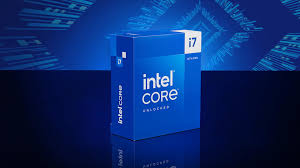
Next Level Review
The Intel Core i7-14700K processor represents a significant advancement in Intel’s line of desktop CPUs, targeting gamers, content creators, and professionals seeking high performance at a competitive price point. Launched as part of Intel’s 14th generation Raptor Lake series, the i7-14700K boasts several enhancements over its predecessor, enhancing its appeal across various user demographics. This comprehensive review will delve into the features of the i7-14700K and explore its performance in both synthetic benchmarks and real-world applications.
In-Depth Analysis of the Intel Core i7-14700K Features
The Intel Core i7-14700K features a hybrid architecture, combining high-performance and efficient cores to optimize processing power and energy efficiency. It consists of 8 Performance-cores (P-cores) and 8 Efficient-cores (E-cores), enabling multitasking capabilities and improved performance in threaded applications. Each P-core has a maximum Turbo Boost frequency of up to 5.6 GHz, while the E-cores can reach a clock speed of 4.2 GHz. This configuration ensures that the processor can handle both demanding and lighter workloads effectively.
Another notable feature of the i7-14700K is its support for DDR5 memory, allowing speeds of up to 5600 MT/s, along with backward compatibility for DDR4. This flexibility is particularly beneficial for users looking to upgrade their systems without entirely overhauling their existing memory. Moreover, the CPU supports PCIe 5.0, providing faster data transfer rates for next-generation GPUs and storage devices, which is crucial for high-performance gaming and content creation workflows.
The Intel Core i7-14700K is also built on Intel’s 10nm SuperFin technology, which improves power efficiency and thermal performance. This architectural refinement contributes to better overall performance while maintaining lower power consumption, a critical aspect for users concerned about energy costs. Additionally, the processor supports Intel’s latest features, including support for Intel Deep Learning Boost and Intel Speed Optimizer, making it an ideal choice for machine learning applications and dynamic performance tuning.
Performance Benchmarking and Real-World Applications
When it comes to performance benchmarking, the Intel Core i7-14700K shines in various tests, outperforming its predecessors and competing processors in the same category. In CPU-intensive tasks such as video encoding, 3D rendering, and gaming, the i7-14700K has demonstrated an impressive ability to handle heavy workloads. Synthetic benchmarks, such as Cinebench R23, showcase the processor’s superior multi-threaded performance, achieving scores that place it among the top contenders in the consumer CPU market.
In real-world applications, users can expect significant improvements in gaming performance, especially at higher resolutions and settings. Titles like Cyberpunk 2077 and Call of Duty: Warzone benefit from the additional cores and threads, providing smoother frame rates and reduced stuttering. The processor also excels in content creation tasks, such as video editing and 3D modelling, where the enhanced multi-threading capabilities of the i7-14700K allow for quicker render times and a more efficient workflow.
Furthermore, the i7-14700K’s ability to maintain high performance during prolonged usage is noteworthy, thanks to its thermal management features and efficient power delivery. Users have reported minimal thermal throttling even under heavy loads, ensuring that the processor can sustain peak performance for extended periods. This reliability makes the i7-14700K an excellent option for professionals who depend on stable performance for tasks like streaming, broadcasting, and real-time content creation.
In summary, the Intel Core i7-14700K processor represents a powerful option for those looking to build or upgrade their computing systems. With its hybrid architecture, support for cutting-edge memory and PCIe technologies, and impressive performance metrics in both synthetic and real-world scenarios, it stands out as a strong contender for gamers and professionals alike. Whether for high-performance gaming, extensive content creation, or demanding multitasking environments, the i7-14700K delivers a compelling balance of power and efficiency that is sure to satisfy a diverse range of computing needs.

Ryzen 9 9950X Review: Ruthless Precision, Ultimate Power
Related Posts
- Microsoft’s Quantum Chip Breakthrough
- The Truth About the Ryzen 7 9800X3D
- Intel Core i9-14900K – Should You Upgrade Now?
- Ryzen 9 9950X Review: Ruthless Precision, Ultimate Power
- Best Thermal Paste Review – ARCTIC MX-4
Thermal Management and Cooling Solutions
The Intel Core i7-14700K has a Thermal Design Power (TDP) of 125W, which is moderate compared to some high-end processors, but adequate cooling remains essential for sustained performance and longevity. The higher P-core clock speeds mean your cooling solution directly impacts both performance and noise levels in your build.
For users planning standard workloads like gaming and light content creation, a quality air cooler such as the Noctua NH-D15 or be quiet! Dark Rock Pro 4 provides excellent value and reliability. These deliver sufficient thermal performance whilst remaining cost-effective. However, if you’re planning to push the processor harder—rendering large projects, streaming, or running sustained multi-threaded workloads—consider a 240mm or 280mm liquid cooler. Popular options include the NZXT Kraken X63 or Corsair iCUE H115i Elite, which offer better heat dissipation and quieter operation under load.
One practical consideration for UK users: ambient temperatures vary seasonally, with summer months potentially reaching 25–28°C in typical living spaces. Under these conditions, ensure your chosen cooler can maintain stable temperatures without excessive fan noise. Additionally, your case airflow matters significantly. Ensure at least one intake fan and one exhaust fan to facilitate proper air circulation through your cooler.
The i7-14700K’s efficiency cores help reduce heat generation compared to previous-generation processors, but the performance cores can generate substantial heat during peak usage. Monitor temperatures using free tools like HWiNFO or CoreTemp; aim to keep the processor below 80°C under gaming loads and below 85°C during sustained workloads for optimal longevity.
When overclocking—which is possible with the K-series variant—budget for a higher-capacity cooler. Even modest overclocking can increase temperatures by 10–15°C, so enthusiasts typically require a 280mm liquid cooler minimum. However, for standard operation, thermal throttling is rarely an issue with adequate cooling, and the processor’s efficiency cores ensure you won’t suffer significant performance penalties in everyday use even with modest cooling solutions.