DrayTek vs Ubiquiti for Small Business: Which Should You Choose in 2026?
If you’ve spent any time researching networking equipment for a UK small business, you’ve almost certainly come across both DrayTek and Ubiquiti. They’re two of the most widely recommended brands among IT professionals and business owners alike — yet they represent fundamentally different philosophies when it comes to how a business network should be built and managed.
DrayTek has long been a staple of the UK small business market, offering all-in-one routers that combine DSL modem, firewall, VPN server, and wireless access point in a single unit. Ubiquiti’s UniFi platform, by contrast, is a modular ecosystem of separate routers, switches, and access points tied together by a centralised software controller. Both approaches have genuine merit. The right choice depends entirely on your situation — the size of your business, your IT capability, your connectivity type, and how much complexity you’re willing to take on.
This article breaks down both platforms in detail, compares them across the dimensions that matter most to UK small businesses, and helps you decide which is the better fit — or whether a combination of both might actually give you the best of both worlds.
DrayTek: The Reliable All-in-One for UK SMBs
DrayTek is a Taiwanese manufacturer with a particularly strong reputation in the UK market. Their Vigor range of routers has been a familiar sight in UK offices for well over a decade, and for good reason. DrayTek devices are designed with the small and medium-sized business in mind — specifically the kind of business that doesn’t have a dedicated IT department but still needs enterprise-grade connectivity features.
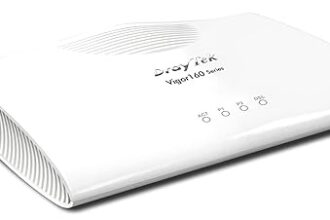
The flagship models for 2026 include the Vigor 2866 series, which combines a VDSL2/ADSL2+ modem with a full business router, hardware firewall, and optional wireless in a single box. It supports dual WAN for failover, SSL VPN, site-to-site IPsec tunnels, and detailed traffic management — all configurable through a web interface that, while not the most modern-looking, is comprehensive and well-documented. The Vigor 2927 is the WAN-focused counterpart for businesses using fibre or leased lines rather than DSL, offering two Ethernet WAN ports for load balancing and failover.
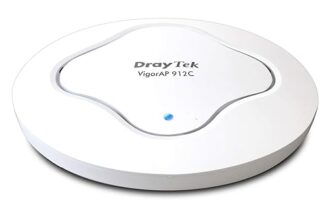
DrayTek also produces the VigorAP range of access points, which can be centrally managed through a DrayTek router using the built-in AP management feature. This gives you a reasonably capable multi-AP setup without needing any additional software or hardware controller.
Where DrayTek genuinely excels is VPN. The Smart VPN Client app for Windows and macOS makes it straightforward for remote workers to connect to the office via SSL VPN — a significant advantage for businesses with staff working from home or on the road. Site-to-site VPN between multiple DrayTek routers at different offices is also well-supported and relatively simple to configure compared to many alternatives.
UK-specific support is another DrayTek strength. They have a UK distributor network and provide phone and email technical support during business hours. For a business owner or office manager handling their own networking without specialist IT knowledge, having accessible UK support is a genuine differentiator.
Ubiquiti UniFi: Scalable, Powerful, and IT-Friendly
Ubiquiti’s UniFi platform takes a completely different approach. Rather than bundling everything into one device, UniFi is a modular ecosystem where routers, switches, and access points are separate hardware units — all managed through a single centralised software platform called the UniFi Network Application.
The routing layer is handled by devices such as the UniFi Dream Machine Pro (UDM Pro) or the more compact UniFi Dream Router, which combine the routing and controller functions in one unit. Larger deployments might use a UniFi Gateway Pro alongside a separate Cloud Key or self-hosted controller running on a server or NAS. Switches from the UniFi range handle PoE and VLAN-tagged traffic, while UniFi access points — from the entry-level U6 Lite up to the high-density U6 Pro and U7 series — deliver the wireless coverage.
The power of UniFi lies in its controller-based management. Every device on the network is visible, configurable, and monitorable from a single dashboard. You can define SSIDs once and push them to dozens of access points simultaneously, configure complex VLAN topologies with a few clicks, and view per-client traffic statistics in real time. For a skilled IT professional or managed service provider, UniFi offers a level of visibility and control that DrayTek’s interface simply cannot match.
UniFi also delivers excellent wireless performance. The latest Wi-Fi 6 and Wi-Fi 6E access points provide high throughput and solid roaming behaviour across multi-AP deployments, and the controller handles band steering and client management in ways that a standalone DrayTek AP cannot.
The trade-off is complexity. Setting up a UniFi network correctly — configuring the controller, adopting devices, defining VLANs, setting up inter-VLAN routing, and tuning wireless settings — takes considerably more time and knowledge than plugging in a DrayTek router. For businesses without dedicated IT support, this is a real barrier.
Key Differences: DrayTek vs Ubiquiti
Setup and Day-to-Day Management
DrayTek routers are designed to be configured directly through their web interface without any additional software. You connect, run through the setup wizard, and most features are accessible with minimal networking knowledge. Firmware updates are straightforward, and the interface — while dense — is well-structured.
Ubiquiti requires more upfront investment. You need to run the UniFi Network Application (either on the UDM hardware, a Cloud Key, or a server), adopt each device into the controller, and understand concepts like network segmentation and controller architecture before you can get the most out of it. Ongoing management is powerful once the system is configured, but the learning curve is steeper.
VPN Capabilities
DrayTek has a clear advantage for straightforward remote access VPN. The built-in SSL VPN server and the free Smart VPN Client make it easy to give employees secure remote access without any third-party services. IPsec site-to-site VPN between DrayTek routers at multiple offices is similarly well-implemented.
Ubiquiti offers Teleport VPN (a zero-config VPN solution for mobile devices) and WireGuard-based VPN on UDM hardware. These work well but are somewhat less mature for traditional SMB remote access scenarios compared to DrayTek’s established VPN stack. UniFi’s VPN is improving but DrayTek remains the stronger choice for businesses with multiple remote VPN users.
WiFi Management
DrayTek’s AP management feature, built into the Vigor router firmware, allows you to centrally manage VigorAP access points — pushing SSIDs, monitoring clients, and performing basic roaming configuration. It works adequately for small deployments of two to five APs.
UniFi’s wireless management is in a different league. The controller provides detailed RF analytics, automatic channel planning, client roaming history, rogue AP detection, guest portal management, and the ability to manage dozens of APs as a coherent system. For larger sites or businesses where wireless performance is critical, UniFi offers capabilities DrayTek simply cannot match.
Scalability
DrayTek scales well up to around 20–30 users on a single site, with a handful of APs and straightforward connectivity requirements. Multi-site management is possible through DrayTek’s VigorConnect platform but is more limited than UniFi’s centralised approach.
Ubiquiti scales comfortably from a small office with a single AP all the way to large multi-site deployments with hundreds of access points, complex VLAN structures, and multiple WAN connections. The controller architecture is designed for this level of growth.
Cost
DrayTek offers a lower entry cost for an all-in-one solution. A Vigor 2866 can be purchased for around £200–£350 depending on the variant, and it replaces several separate devices. Adding a VigorAP for wireless brings the total to perhaps £300–£500 for a complete small office setup.
A comparable UniFi deployment — UDM router, a managed switch, and one or two access points — will typically cost £400–£700 or more. However, at larger scales the per-AP cost is competitive, and the UniFi platform’s capabilities justify the investment for the right use case.
Support
DrayTek provides UK-based technical support by phone and email through their distributor network. For a small business without an IT department, the ability to call someone when something goes wrong is a meaningful benefit.
Ubiquiti’s official support is limited and primarily community-driven. The Ubiquiti Community forums are active and often excellent, and there is a large body of documentation and third-party guides available. However, if you encounter a problem outside business hours or need direct vendor support, you will find Ubiquiti’s official channels frustrating. Ubiquiti is better suited to businesses with an IT professional or MSP on hand who can troubleshoot independently.
DSL and WAN Connectivity
This is an area where DrayTek has a clear and unique advantage. Many DrayTek Vigor models include a built-in VDSL2/ADSL2+ modem, meaning they connect directly to a BT phone line or FTTC (fibre to the cabinet) connection without needing a separate modem. For UK businesses still on FTTC or ADSL broadband — which remains common outside major cities — this simplifies both the setup and the support path significantly.
Ubiquiti has no DSL modem capability whatsoever. If you’re on FTTC or ADSL, you will always need a separate modem or a modem-router in bridge mode sitting in front of your UniFi gateway. This adds cost and a potential support complexity.
Head-to-Head Comparison
| Feature | DrayTek Vigor | Ubiquiti UniFi |
|---|---|---|
| Setup complexity | Low — direct web configuration | Medium-High — controller setup required |
| Built-in DSL modem | Yes (VDSL2/ADSL2+) | No — external modem required |
| Remote access VPN | Excellent — SSL VPN, Smart VPN Client | Good — Teleport, WireGuard on UDM |
| Site-to-site VPN | Strong — IPsec, mature implementation | Supported — IPsec, WireGuard |
| WiFi management | Basic — adequate for 2–5 APs | Excellent — full controller, RF analytics |
| Scalability | Good for up to ~30 users | Excellent — scales to very large deployments |
| VLAN support | Supported but limited UI | Excellent — VLAN-native design |
| Entry cost (small office) | Lower — all-in-one from ~£250 | Higher — ecosystem from ~£450+ |
| UK support | Phone and email — UK distributor | Community forums, limited official support |
| IT expertise required | Low — suitable for self-managed | Medium-High — benefits from IT professional |
Who Should Choose DrayTek?
DrayTek is the stronger choice in the following situations:
- Small businesses with 1–20 users who need a reliable, capable router without a complex setup process.
- Businesses on FTTC or ADSL broadband — the built-in DSL modem simplifies the installation significantly and removes a potential point of failure.
- Offices without dedicated IT support — DrayTek’s web interface, UK phone support, and comprehensive documentation make it manageable for a non-specialist.
- Businesses with remote workers who need reliable, easy-to-use VPN access. DrayTek’s Smart VPN Client and SSL VPN setup is one of the most straightforward in the SMB market.
- Multi-site businesses linking two or three offices via site-to-site VPN, where simplicity and reliability are more important than advanced network management.
- Budget-conscious deployments where an all-in-one device that handles routing, firewall, VPN, and (optionally) wireless in a single unit represents better value than buying separate components.
DrayTek’s sweet spot is the UK small business that wants enterprise features — robust firewall, VPN, dual WAN failover, traffic shaping — without needing an IT professional to set it up or maintain it. The Vigor 2866 series in particular is an excellent choice for any business still on FTTC that wants a reliable, feature-rich router they can largely set and forget.
Who Should Choose Ubiquiti UniFi?
Ubiquiti is the better choice in these scenarios:
- IT-managed businesses where a qualified IT professional or managed service provider (MSP) is responsible for the network infrastructure.
- Sites with 10 or more access points — UniFi’s controller-based AP management, automatic channel planning, and roaming intelligence is significantly superior to DrayTek at this scale.
- Environments requiring complex VLAN segmentation — separating guest WiFi, staff WiFi, IoT devices, and server traffic into properly isolated networks is far more elegantly handled in UniFi.
- Businesses where wireless performance is a priority — whether it’s a busy office, a retail floor, or a hospitality venue, UniFi’s Wi-Fi 6 and Wi-Fi 6E access points and their associated management tooling delivers better results at scale.
- MSP-managed deployments where the service provider wants a single pane of glass to manage multiple client sites through UniFi’s cloud management capabilities.
- Growing businesses that expect to scale significantly — UniFi’s modular approach means you can add switches, APs, and additional routing capacity without replacing your core infrastructure.
UniFi’s ideal customer is a business of perhaps 15 to 200 users, with an IT team or IT partner who understands networking, and where wireless coverage and network segmentation are important requirements. The platform rewards investment in proper configuration and pays dividends in visibility, performance, and scalability.
The Hybrid Approach: DrayTek Router with Ubiquiti APs
It’s worth noting that DrayTek and Ubiquiti are not mutually exclusive — and in fact, one of the most popular configurations among UK IT professionals is a hybrid setup combining a DrayTek router with Ubiquiti UniFi access points.
In this configuration, the DrayTek Vigor router handles all WAN connectivity (including the DSL modem if on FTTC), firewall rules, VPN server, and inter-VLAN routing. The Ubiquiti UniFi APs — managed through the UniFi Network Application running on a Cloud Key or a small server — provide the wireless coverage, leveraging the superior AP management, roaming intelligence, and RF tooling of the UniFi platform.
This hybrid approach gives you the best of both worlds: DrayTek’s mature VPN, its built-in DSL modem capability, its straightforward firewall configuration, and its accessible UK support — combined with UniFi’s industry-leading wireless management. The two systems coexist happily on the same network; UniFi APs simply connect to the DrayTek router as client devices and receive VLAN-tagged traffic for multiple SSIDs.
If you’re on FTTC broadband, have remote workers who need VPN, and want excellent multi-AP wireless coverage across your office, a Vigor 2866 paired with a couple of UniFi U6 Lite or U6 Pro access points is a compelling solution that many UK IT professionals would recommend without hesitation.
Final Verdict
There is no single correct answer between DrayTek and Ubiquiti — and any article that tells you one is simply better than the other isn’t giving you the full picture.
Choose DrayTek if you’re a small UK business on DSL broadband, you don’t have a dedicated IT team, you need reliable remote access VPN, and you want something that works well without significant ongoing management overhead. The Vigor 2866 and 2927 series represent excellent value and genuine enterprise capability in an accessible package.
Choose Ubiquiti UniFi if you have IT support on hand, you need serious wireless performance across multiple access points, VLAN segmentation is a requirement, and you’re willing to invest the time in proper configuration in exchange for a far more powerful and scalable platform.
Consider the hybrid approach if you want the routing reliability and VPN simplicity of DrayTek with the wireless excellence of UniFi — it’s a well-proven combination that many UK businesses are already running successfully.
Both brands have earned their places in the UK small business networking market. Understanding what each does best is the key to making the right investment for your specific situation.