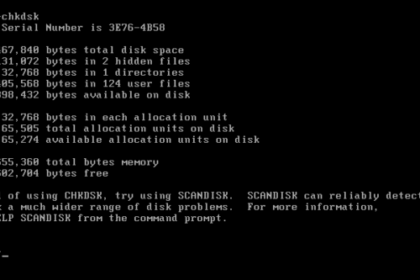
What Is DOS?, DOS stands for Disk Operating System. It is a text-based system that allows users to control a computer by typing commands instead of clicking with a mouse. Before modern Windows interfa...

Practical IT, Cybersecurity & AI — Explained Clearly
Complete DOS and Command Prompt reference for Windows. Every command explained with syntax, examples, and practical use cases.
MS-DOS commands are still used every day — in Windows Command Prompt, batch scripts, and system administration tasks. This section is a practical, no-fluff reference for anyone who needs to get things done at the command line.
Whether you're a Windows sysadmin, an IT support professional, or just someone who needs to run a specific command and understand what it does, these guides are written to be clear, concise, and immediately useful.
What Is DOS?, DOS stands for Disk Operating System. It is a text-based system that allows users to control a computer by typing commands instead of clicking with a mouse. Before modern Windows interfa...
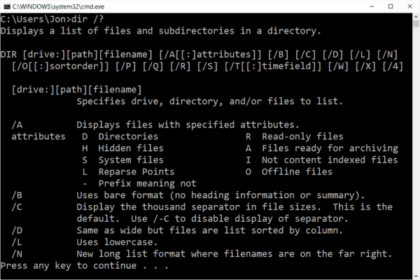
What Are DOS Commands, DOS commands are text-based instructions used in the command line to control files, folders, and system functions. Many people still use DOS commands today through Command Promp...
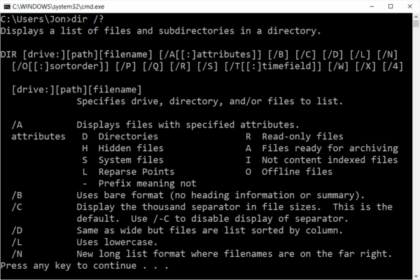
What Does the DIR Command Do?, The DIR command is a DOS command used to list files and folders inside a directory. When you type dir into Command Prompt, Windows shows: This is usually the first DOS c...
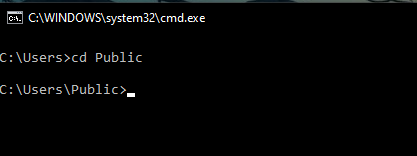
What Does the CD Command Do? The CD command (short for Change Directory) is a DOS command used to move between folders in Command Prompt. If DIR shows you what files and folders exist, CD lets you mov...