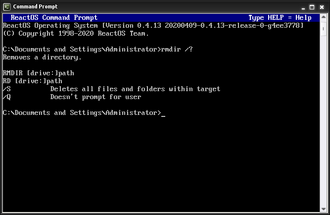
What Does the DEL Command Do?, The DEL command (short for Delete) is a DOS command used to permanently delete files.
When you delete a file using DEL:
- It does not go to the Recycle Bin
- It is removed immediately
- There is no undo
Because of this, DEL must be used carefully.
Basic DEL Command Syntax
The simplest form is:
del filename
Example:
del test.txt
This permanently deletes test.txt from the current folder.
How to Use the DEL Command (Step by Step)
Steps:
- Open Command Prompt
- Navigate to the folder containing the file
- Type:
del example.txt - Press Enter
If successful, the file disappears immediately.
Deleting Files With Spaces in the Name
Use quotation marks.
Example:
del "old report.docx"
Without quotes, the command will fail.
Deleting Multiple Files at Once
You can delete multiple files using wildcards.
Example:
del *.tmp
This deletes all .tmp files in the current folder.
⚠️ Always confirm with dir first.
Deleting Files Without Confirmation
Some systems prompt for confirmation.
You can force deletion without prompts:
del /q filename
Example:
del /q oldfile.txt
Use this only when you are certain.
Deleting Read-Only Files
To remove read-only files:
del /f filename
Example:
del /f locked.txt
This is commonly used during cleanup or troubleshooting.
Deleting Files in Another Folder
You can specify the full path.
Example:
del C:Temperror.log
This deletes the file without moving into the folder.
Common DEL Command Errors
“Access is denied”
This means:
- You do not have permission
- The file is in use
- The folder is protected
Try:
- Closing the file
- Running Command Prompt as Administrator
“Could Not Find”
This means:
- The filename is wrong
- You are in the wrong directory
Check with:
dir
Is the DEL Command Dangerous?
DEL is not dangerous if used correctly, but mistakes can be serious.
Best practices:
- Always run
dirfirst - Delete one file at a time when learning
- Avoid wildcards until confident
- Never delete system files unless instructed
DEL vs ERASE
DEL and ERASE are the same command.
Both work identically:
del file.txt
erase file.txt
DEL is more commonly used.
What to Learn After DEL
Once you understand DEL, the next safe commands to learn are:
MD– create foldersRD– remove empty foldersTREE– view folder structures
These help with organisation rather than removal.
Where to Go Next
Recommended next guides:
- MD Command Explained (Create Folders in DOS)
- RD Command Explained (Remove Folders Safely)
- DOS Commands A–Z Index
Related Posts
- What Is DOS?
- What Are DOS Commands?
- DOS Commands List (Easy Reference)
- How Do You Open Command Prompt in Windows?
- DOS Commands Not Working? Start Here
- Command Prompt vs PowerShell